
See the whole workflow before you sign up.
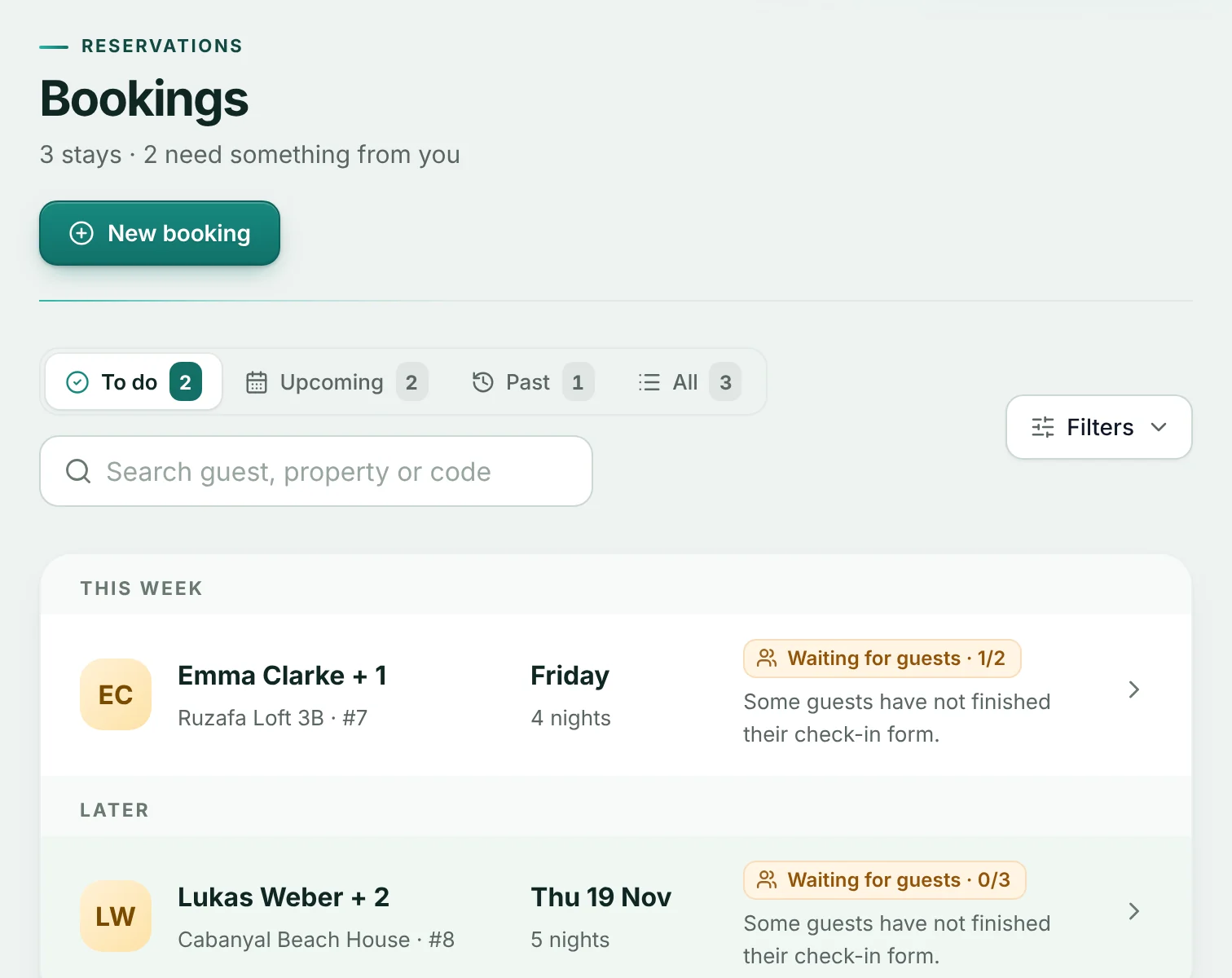
Four screens from the real app, filled with example data: adding a booking, the guest form, what is missing, and how Claveo tells a sent report from one SES has confirmed.
Add the booking, or let the calendar bring it in.
Type the stay dates and guest count, or connect the iCal link from Airbnb, Booking.com or your channel manager. Each booking gets its own secure guest link.
- Manual bookings on every plan
- Calendar (iCal) sync on paid plans
- Run one property in Claveo while the rest stay where they are
What you can try on Free, and what needs a paid plan.
Free is for trying the guest side on one property. Direct SES submission is only on paid plans, and your first paid subscription starts with a 14-day free trial.
| Feature | Free | Paid plans (14-day trial) |
|---|---|---|
| Properties | 1 | Up to 74, by plan |
| Check-ins per month | 5 | Unlimited |
| Bookings, guest links and the mobile guest form | ||
| Missing-detail checks before reporting | ||
| Checked SES XML file to upload yourself | ||
| Direct submission to SES.Hospedajes with SES confirmation | ||
| Calendar (iCal) sync | ||
| Document scanning |
Direct submission is for properties that report to SES.Hospedajes: everywhere in Spain except Catalonia, which reports to the Mossos d'Esquadra, and the Basque Country, which reports to the Ertzaintza.
From account to a report SES has confirmed.
Your workspace home shows the next step in this order, so you always know what to do next.
Create your account. You start on Free, with no payment details.
Add one property and its address. Claveo shows which authority it reports to.
Add a booking and send the guest link. Free is enough up to here.
To report directly, start a paid plan: the first subscription has a 14-day free trial. Card details are asked at checkout and nothing is charged during the trial.
Add your SES web service credentials and the establishment code, test the connection, then press Send to SES on the booking.
Done when the booking says Reported: SES has returned its receipt.
Questions before or during setup? Write to info@claveohost.es. We answer by email, so no call is needed. Paid workspaces also have help inside the app.
Try it on one property.
Start on Free with your next booking, and keep your other properties where they are until you decide.